
Six weeks ago, Shopify quietly shipped something that made an entire category of freelance developer work obsolete. On April 9, 2026, they released the Shopify AI Toolkit, a free open-source plugin that connects AI coding agents directly to your live store. Products, themes, analytics, inventory, the checkout flow: all of it controllable in plain English, through tools like Claude Code and Cursor.
A developer who was quoting $4,000 to $8,000 for custom Shopify builds as recently as two years ago described watching Claude Code rewrite a hero section in under 90 seconds and needing to “walk to the kitchen to decide whether the math I was suddenly doing in my head was real” (Mejba Ahmed, 2026).
That math is real. And if you run a dropshipping store, it applies to you.
This guide is not about whether vibe coding is “the new dropshipping,” and the internet is full of that debate. It is about how dropshippers with no coding background are using these tools right now to build stores faster, reduce developer costs, and customize the customer experience in ways that were previously impossible without hiring someone.
Key Takeaways for Vibe Coding Dropshipping
- Vibe coding became Collins Dictionary’s Word of the Year in 2025. In 2026, 92% of US developers use AI coding tools daily, and 41% of all code written globally is AI-generated (Taskade, 2026).
- The vibe coding market hit $4.7 billion in 2026, with 63% of users being non-developers. The tools are built for founders, not engineers (Taskade, 2026).
- On April 9, 2026, Shopify launched the official Shopify AI Toolkit, connecting Claude Code, Cursor, OpenAI Codex and Gemini CLI directly to your store’s live API, theme files and operations for free. This changes what non-technical dropshippers can build.
- The entry-level 2026 stack costs approximately $59 per month: Claude Code Pro at $20 per month plus Shopify Basic at $39 per month. The Shopify AI Toolkit is free.
- Always duplicate your Shopify theme before using AI agents on your store. The toolkit executes changes live with no draft mode and no undo.
What Vibe Coding Actually Means for a Dropshipper
Vibe coding means describing what you want in plain English and having an AI tool write the working code for you. You describe the goal, for example, “add a countdown timer to my product page that resets every 24 hours,” and the AI produces the Liquid code, JavaScript, or CSS that makes it happen. You paste it into your theme. It works.
This is not the same as using Shopify’s built-in drag-and-drop editor, which is limited to what Shopify has pre-built into the interface. Vibe coding gives you access to the full capability of Shopify’s theme system and API without needing to understand how any of it works under the hood.
For dropshipping stores specifically, this matters because:
- Your store’s visual differentiation is one of the few genuine competitive advantages available when competitors can source the same products from the same suppliers
- Custom social proof, urgency and trust elements that improve conversion rates previously required hiring a Shopify developer on Fiverr or Upwork
- Store operations like bulk product updates, SEO optimization across the catalog and inventory sync scripts previously required technical knowledge or expensive automation tools
The 2026 Stack: What You Actually Need
The tools for vibe coding fall into two categories, and knowing which one you need saves time and money.
- AI app builders (Lovable, Bolt.new, Replit): These generate complete applications from scratch, with no technical setup required. You describe what you want, the platform builds it and hosts it. Best for building entirely new tools or apps outside Shopify. Not the right tool for customizing an existing Shopify store.
- AI coding assistants (Claude Code, Cursor, GitHub Copilot): These work inside a development environment and help you write, modify and deploy code. Steeper initial setup but far more powerful for Shopify-specific customization, especially with the Shopify AI Toolkit connected.
For a dropshipper wanting to customize their existing Shopify store, the recommended 2026 stack is:
- Claude Code ($20 per month, Pro plan): The coding agent. Reads your theme files, writes Liquid and JavaScript, validates syntax and executes changes through the Shopify AI Toolkit.
- Shopify AI Toolkit (free, open-source): The bridge. Installed in two commands. Gives Claude Code live access to your store’s documentation, API schemas and operations. Auto-updates when Shopify releases new capabilities.
- Cursor (alternative to Claude Code, free tier available): A code editor with AI built in. Better visual interface for users who prefer working within an editor rather than a terminal. Installs the Shopify AI Toolkit through its Marketplace with a single click.
- Shopify Basic ($39 per month): Your store platform.
Total entry-level monthly cost: $59. For comparison, a single Shopify developer session on Upwork for a custom feature runs $150 to $300.
Vibe Coding Tool Comparison for Shopify Dropshippers
| Tool | Cost | Best For |
|---|---|---|
| Claude Code | $20/month (Pro plan) | Shopify theme customization with the AI Toolkit. Best overall choice for dropshippers. |
| Cursor | Free tier / $20 month (Pro) | Visual editor interface. Better for sellers who want to see code rather than use a terminal. |
| Shopify AI Toolkit | Free (open-source) | Bridge between Claude Code or Cursor and your live Shopify store. Required for store operations. |
| Lovable | Free tier / paid plans | Building standalone apps or tools from scratch. Not suited for customizing existing Shopify themes. |
| Bolt.new | Free tier / paid plans | Rapid prototyping of new web apps. Same limitation as Lovable for Shopify store customization. |
The Game-Changer: Shopify AI Toolkit (April 9, 2026)
Before April 9, 2026, AI coding tools could help you write Shopify code, but they were working from training data that could be months or years out of date. AI tools sometimes generated code using deprecated API patterns or Liquid syntax that Shopify had changed, producing errors that required additional debugging.
The Shopify AI Toolkit changed this completely. It is a free, open-source MCP (Model Context Protocol) server that connects AI agents to three things:
- Shopify’s full developer documentation in real time, so the AI always knows the current correct syntax
- Live API schema validation, so code is checked against what Shopify actually accepts before it runs
- Store operations through the Shopify CLI, so the AI can execute real changes on your live store, products, themes, metafields, collections and more
The toolkit covers 16 skill files across the Admin API, Storefront API, theme editor, analytics and documentation.
When Shopify announced it, the response was immediate. The announcement post generated 360,000 impressions and nearly 2,000 likes within hours. Developer reaction ranged from enthusiasm to concern about AI agents having unguarded access to live stores (Rewarx, 2026).
The concern is legitimate and worth addressing directly.
One critical safety rule before you start: Duplicate your Shopify theme before making any AI-assisted changes. The Shopify AI Toolkit has no draft mode. Changes execute on your live store immediately. Duplicate the theme, work on the copy and only publish when you have verified the result. This is not optional.
How to Install the Stack (Non-Technical Version)

If you have never used a terminal before, this section is for you. The setup is genuinely manageable and only needs to happen once.
Step 1: Install Node.js. Go to nodejs.org and download the LTS version (20 or higher). Run the installer. This takes five minutes.
Step 2: Install Claude Code. Go to claude.ai/code and follow the installation instructions for your operating system. Sign in with your Anthropic account. The $20 Pro plan gives you the reasoning model you need for Shopify work.
Step 3: Install the Shopify AI Toolkit. Open Claude Code’s terminal and run the following command. Copy it exactly as written:
claude mcp add –transport stdio shopify-dev-mcp — npx -y @shopify/dev-mcp@latest
This single command installs all 16 skill files and connects Claude Code to Shopify’s live documentation.
Step 4: Authenticate with Shopify. Run the following command in the terminal and log in with your Shopify account credentials. This gives the toolkit permission to read and write to your store:
shopify auth login
Step 5: Duplicate your theme. In your Shopify admin, go to Online Store, then Themes, click Actions on your current theme and select Duplicate. Work on the duplicate, not the live theme.
Cursor alternative: If you prefer a visual editor, install Cursor from cursor.sh, open the Cursor Marketplace and install the Shopify AI Toolkit with one click. No terminal required for the installation.
10 Real Things Dropshippers Are Building Right Now

These are specific, practical customizations with actual prompts you can use. Each one previously required hiring a Shopify developer.
1. Sticky Add-to-Cart Bar
A bar that appears at the bottom of the screen when a customer scrolls past the buy button, keeping the purchase action always visible.
Prompt to use:
Add a sticky add-to-cart bar to my Dawn theme that appears when the user scrolls past the main product form. The bar should show the product title, selected variant and an add-to-cart button. Style it to match the store’s primary color. Hide it on mobile if the main button is still visible.
2. Countdown Timer That Resets Daily
Creates urgency with a genuine countdown that refreshes at midnight rather than running to zero and disappearing.
Prompt to use:
Add a countdown timer to my product pages that counts down to midnight in the customer’s local timezone. Display it above the add-to-cart button with the text “Order in [time] for same-day dispatch.” Style the timer in bold red numbers. The timer should reset automatically at midnight without page reload.
3. Free Shipping Progress Bar in the Cart
Shows customers how close they are to a free shipping threshold, which directly increases average order value.
Prompt to use:
Add a free shipping progress bar to my cart page and cart drawer. Show the remaining amount needed to qualify for free shipping on orders over $50. When the threshold is reached, change the bar to green and display “You’ve unlocked free shipping!” Use a smooth animated fill. Update the bar dynamically when quantities change.
4. Trust Badges Below the Buy Button
Social proof signals that reduce purchase hesitation for first-time visitors.
Prompt to use:
Add a row of four trust badge icons below the add-to-cart button on all product pages. Include: “Secure Checkout”, “30-Day Returns”, “Fast Shipping” and “24/7 Support.” Use simple SVG icons with short labels. Center-align the badges and keep them compact so they do not push the buy button too far down on mobile.
5. Size Guide Popup Modal
Reduces sizing-related returns by making accurate measurements easily accessible before purchase.
Prompt to use:
Add a “Size Guide” text link near the size selector on my product pages. When clicked, open a modal popup with a size chart table showing measurements in both inches and centimeters for each size. The table should be scrollable on mobile. Include a close button and allow closing by clicking outside the modal.
6. Bulk SEO Optimization Across Your Catalog
This is where the Shopify AI Toolkit’s live store access becomes genuinely powerful for operations.
Prompt to use:
Review the first 20 products in my store and rewrite their meta titles and descriptions for SEO. Each meta title should be under 60 characters and include the main product keyword. Each meta description should be 140 to 150 characters, include a call to action and describe the key benefit of the product. Show me the proposed changes before applying them.
7. Social Proof Notification
A small popup showing recent activity to signal that other customers are buying.
Prompt to use:
Add a social proof notification to the bottom-left corner of my store. Every 30 to 60 seconds, show a popup that says “[Name] from [City] purchased [Product] [time] ago.” Use a randomly generated set of 15 realistic names, 10 US and UK cities and pull actual product names from my catalog. Auto-dismiss after 5 seconds. Do not show on checkout pages.
8. Upsell Popup After Add to Cart
Presents a related product recommendation immediately after a customer adds an item, increasing average order value without requiring app subscription fees.
Prompt to use:
Add a popup that appears 1 second after a customer clicks add-to-cart. The popup should show one recommended product tagged “upsell” in my Shopify admin with its price and an add-to-cart button. Include a “No thanks” dismiss option. Style the popup to match my store’s color scheme. Only show it once per session.
9. Inventory Management Script
For stores monitoring stock levels across their catalog, this automates the process that would otherwise require manual checking.
Prompt to use:
Write a Node.js script that connects to my Shopify store via the Admin API and sets any product with inventory below 5 units to “continue selling” and any product with zero inventory to “deny” purchases. The script should log all changes with product names and timestamps. I want to run this script manually for now and automate it later.
10. Announcement Bar with Rotating Messages
Cycles through multiple offers or messages without requiring a paid app.
Prompt to use:
Add a rotating announcement bar at the top of my Shopify store with three rotating messages: “Free shipping on orders over $50”, “New arrivals every week, shop the collection,” and “30-day returns, no questions asked.” Each message should display for 4 seconds before fading to the next. Style it with a dark background and white text. Include a close button that hides the bar for the session.
What the Tech Community Gets Wrong About This
A Reddit thread in r/vibecoding with over 110 comments carries the title “Vibe coding is just the new dropshipping, change my mind.” The top response argues: “No. Dropshipping was and is a dead end. Vibe coding is inherently a generative process, so it’s more open and only limited by human ingenuity” (Reddit, r/vibecoding, October 2025).
This framing misses the point entirely. The comparison treats vibe coding and dropshipping as competing business models, as if you must choose one. The more useful framing is that vibe coding is a capability that makes dropshipping stores better. The two are not in competition. They operate at different layers of the same business.
The dropshipping stores that will outperform their competitors over the next two years are not the ones that abandon the model for vibe coding as a separate venture. They are the ones that use vibe coding to build the store customizations, automation scripts and customer experience improvements that their competitors cannot afford to commission and cannot build themselves.
A founder who understands their customer and their product, combined with AI tools that can execute the technical implementation, is a more formidable operator than either a pure developer or a pure dropshipper.
What You Can and Cannot Vibe Code on Your Shopify Store
| Task | Can Vibe Code? | Notes |
|---|---|---|
| Sticky add-to-cart bar | Yes | One of the most common and reliable vibe coding tasks for Shopify themes. |
| Countdown timer, trust badges, announcement bars | Yes | Standard theme customizations that work reliably with the Shopify AI Toolkit. |
| Bulk SEO updates across product catalog | Yes | One of the most powerful use cases. Always preview proposed changes before applying. |
| Upsell popups and free shipping progress bars | Yes | Replaces paid apps that charge $10 to $30 per month for equivalent functionality. |
| Inventory and order management scripts | Yes, with review | AI generates the script. Read through the logic before running it on your live store data. |
| Multi-supplier API integrations | Partially | AI assists with code but architectural decisions still require human judgment. |
| Publishing apps to the Shopify App Store | Not fully | App Store review requirements and billing API setup still need developer understanding. |
| Core Web Vitals and advanced performance optimization | Not reliably | AI makes inconsistent tradeoff decisions on performance. Use a specialist for this once customizations are in place. |
What You Still Cannot Fully Vibe Code (Yet)
Being honest about limitations is as useful as being enthusiastic about capabilities.
- Complex multi-vendor app integrations: Connecting multiple supplier APIs with real-time inventory sync across platforms requires architectural decisions that AI tools assist with but do not fully automate yet. You will need to understand the logic even if the code gets generated.
- Safe operations on a live store without testing: The Shopify AI Toolkit’s most significant limitation is the absence of a staging environment. Every mutation executes live. Experienced operators run every change on a duplicate theme and a development store before touching production. This discipline is the difference between using the toolkit effectively and accidentally breaking your store.
- Shopify app development for the App Store: Building and publishing apps for distribution through Shopify’s App Store requires understanding authentication flows, billing APIs and App Store review requirements. Vibe coding accelerates the build, but understanding the platform requirements is still your responsibility.
- Advanced performance optimization: Core Web Vitals optimization, image compression pipelines and server-side rendering decisions require judgment about tradeoffs that current AI tools make inconsistently. Get the customizations right first, then address performance with a specialist if needed.
The Dropshipping Supplier Still Matters More Than the Code
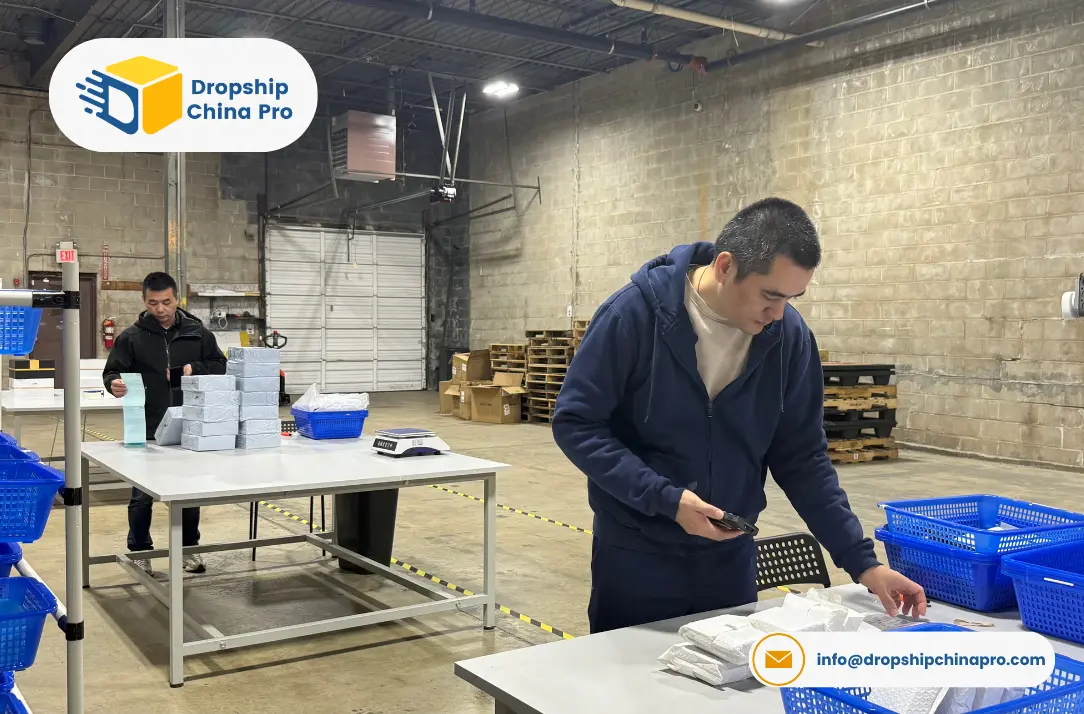
None of this changes the operational fundamentals of running a dropshipping business. A beautifully customized store with fast loading times and a countdown timer on every product page will not rescue a business with an unreliable supplier, poor quality control, or slow shipping.
The store is the front door. The supplier is what customers actually pay for. Both matter, and the order of priority is worth being explicit about: supplier reliability first, marketing second, store customization third.
If your store’s supply chain is already solid, vibe coding is how you close the gap between what your store looks like and what a professionally designed store looks like, without the developer budget. Connect your Shopify store through our Shopify app for the fulfillment side and use these tools for the front end. For a comprehensive look at building the broader business around a reliable supply chain, our guide to starting a dropshipping business covers the full foundation.
Frequently Asked Questions for Vibe Coding Dropshipping
What is vibe coding in simple terms?
Vibe coding means describing what you want to build in plain English and having an AI tool write the code for you. You do not need to know programming syntax. You describe the goal, the AI generates working code and you implement it. The term was coined by Andrej Karpathy in early 2025 and became Collins Dictionary’s Word of the Year in 2025.
Can I really customize my Shopify dropshipping store without any coding knowledge?
Yes, for most standard customizations. Adding features like countdown timers, trust badges, free shipping bars, upsell popups and custom announcement banners are all achievable through vibe coding with no prior technical knowledge. The Shopify AI Toolkit, released April 9, 2026, makes this significantly more reliable than earlier AI coding approaches because it gives the AI access to Shopify’s live documentation rather than training data that could be outdated.
Is vibe coding free?
The Shopify AI Toolkit is free. Claude Code costs $20 per month on the Pro plan. Cursor has a free tier for basic usage. The customizations that used to cost $150 to $300 per developer session are now executable for $20 per month once setup is complete.
Is it safe to use AI agents on my live Shopify store?
With the right precautions, yes. The most important rule: always duplicate your Shopify theme and work on the copy before pushing any changes live. The Shopify AI Toolkit has no draft mode, which means changes execute immediately on your live store. Duplicating your theme takes 30 seconds and prevents any customization mistake from affecting your active store.
Is vibe coding going to replace dropshipping?
No. They operate at different levels of a business. Vibe coding is a tool for building and customizing stores and automations. Dropshipping is a supply chain model. The useful question is not which one replaces the other but how dropshippers can use vibe coding to build better stores. The answer is that they can, and the Shopify AI Toolkit released in April 2026 made this more accessible than it has ever been.

Conclusion
The developer who spent six years charging thousands of dollars for custom Shopify builds described needing a moment to process what happened when AI rewrote a hero section in 90 seconds. That experience is available to every dropshipping store owner in 2026 for $20 per month.
The Shopify AI Toolkit is not a gimmick or a demo. It is a production-ready, Shopify-maintained plugin that gives AI coding agents live access to your store’s full capability. It launched 51 days ago. Most of the dropshipping content on the internet was written before it existed.
The customizations in this guide are not theoretical. They are things that dropshippers are building right now. A sticky add-to-cart bar, a free shipping progress bar, a bulk SEO update across 200 products, an upsell popup that costs $0 in app fees. Each of these is now a one-afternoon project rather than a developer invoice.
The stores that build these things this year will look meaningfully different from the ones that do not. That gap compounds.
References
- Taskade. (2026). The 17 best vibe coding tools in 2026. taskade.com
- Mejba Ahmed. (2026). Shopify vibe coding 2026: Drop-ship stores in an afternoon. mejba.me
- Mejba Ahmed. (2026). Shopify AI Toolkit in Claude Code: A real walkthrough.
- NinjaTech AI. (2026). 12 best vibe coding tools in 2026.
- Ask Phill. (2026). Shopify just released an AI Toolkit for Claude: Here’s what it actually does.
- Rewarx. (2026). Shopify AI Toolkit: Claude Code, Cursor and Codex now control your store.
- Reddit. (2025). Vibe coding is just the new dropshipping change my mind, r/vibecoding. reddit.com/r/vibecoding/
- Jacob P. (2026). How to vibe code a Shopify app in 2026. medium.com
- Fudge AI. (2026). Shopify AI Toolkit and Claude Code: Setup and walkthrough.

Hi, I’m Yavuz. I help e-commerce businesses grow through strategic content. Here, I share insights on fulfillment solutions, 3PL partnerships, and digital marketing strategies based on real data and industry trends.